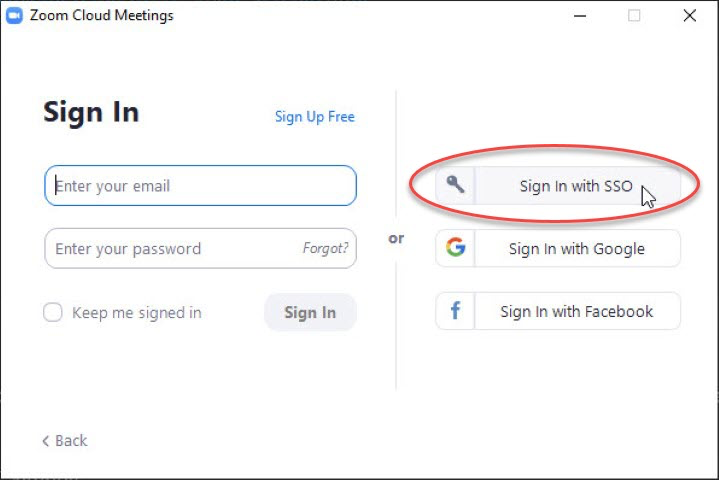
Start the Zoom Client. The first time you do so on a device, it will prompt you to sign in. Do not fill out an email or a password. Click "Sign in with SSO".
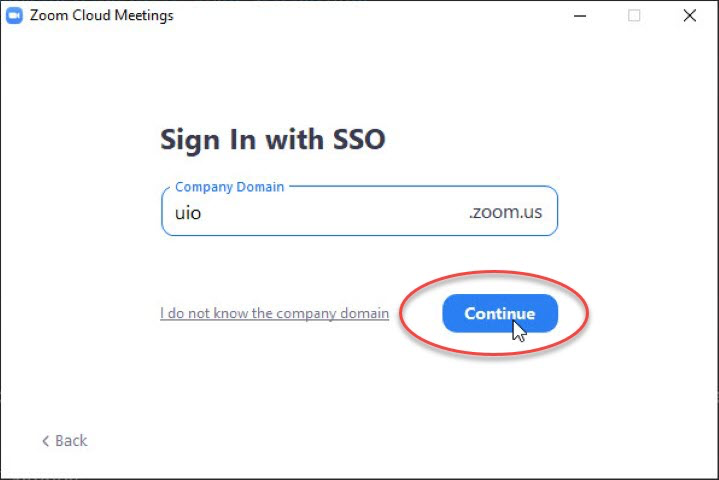
You will then be asked for a "company domain". Enter "uio" and click "Continue".
Your web browser should now open FEIDE and request a login (if you have not already signed in to FEIDE recently). After this is completed, your web browser will be redirected Zoom and you will be asked for permission to start the Zoom client, and your will be signed in:

.