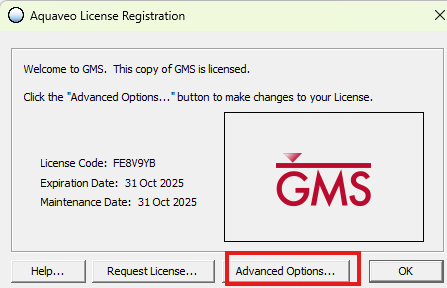
When starting GMS for the first time you will have to define the license server (geo-win-lisens5.uio.no) for this software.
Select Register.
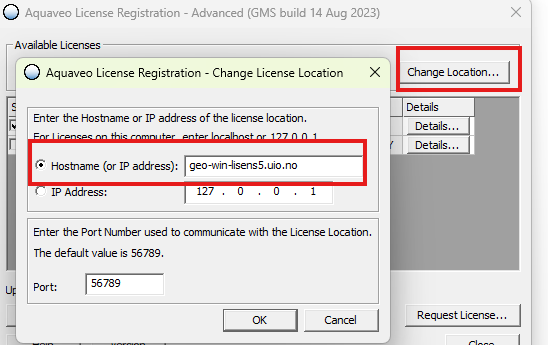
Select Change Location.
Choose Hostname and enter geo-win-lisens5.uio.no and click Ok.
The licensing should now be set up correctly. Press Ok and Close and the software should be ready to use.