Using Servers
Server Resources at Dept. of Geosciens, slides from 2024-09-03.


UiO provides many services through the Virtual Desktop Infrastructure (VDI).
This guide shows you how to use this for Linux Desktop logins.

Virtual Desktop Infrastructure (VDI) - Windows Desktop G&G Software
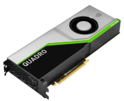
In addition to its 128 CPU cores and 1024GB RAM, mimi has a GPU that can be used for processing. It is a Nvidia Quadro RTX 6000 card, with 24GB GPU memory and 4608 CUDA cores.
Ivan has 24 CPU cores and 512GB RAM, with Nvidia Tesla T4 card with 16GB GPU memory and 2560 CUDA cores.
Victor has 256 CPU cores and 4TB RAM, and 2 X NVIDIA H100 NVL GPU

Software on mimi.uio.no and other Linux servers are installed as modules. Which means when you login there are software that is not defined in your PATH. In order to use a specific software package you need to load the corresponding module first.
Running your code on mimi.uio.no from your local VS Code and browser using VS Code Remote SSH.

Remote Development using SSH

Running Jupyter Notebook using X-forwarding on a server can be sluggish and unresponsive. Here is how you can use your local browser but still run your code using the servers resources.

TurboVNC can provide access to a full desktop on mimi.uio.no from Windows, Linux and Mac clients. Useful when running 3D applications.

X2go is an alternative to "ordinary" X11-connections; it can be used on Windows, Linux og Mac clients.